
How Allo works
Allo is an off‑grid messaging system. It combines small radio devices, a mobile app and an online dashboard to create a private communication layer that keeps working when mobile networks and Wi‑Fi have problems. 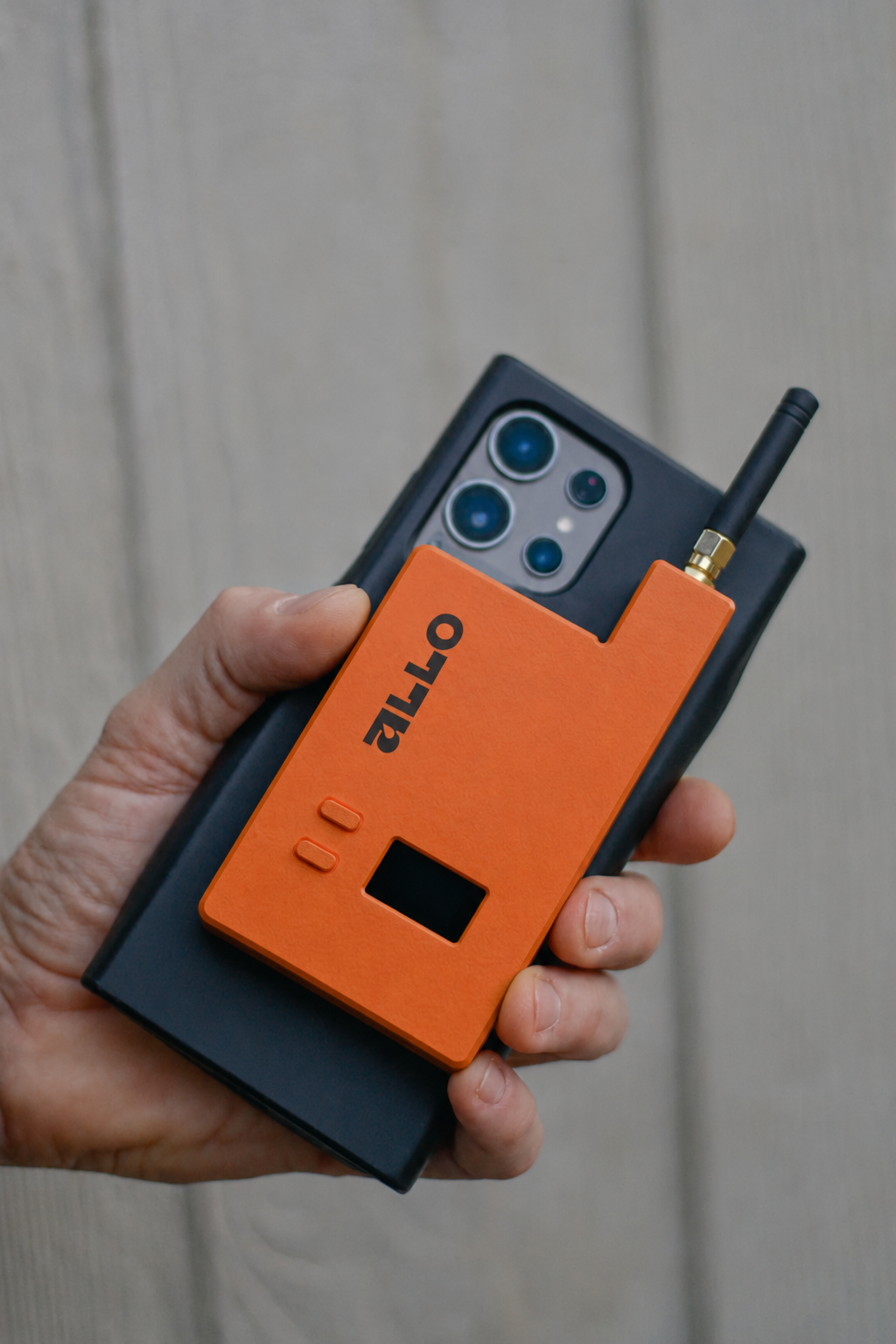
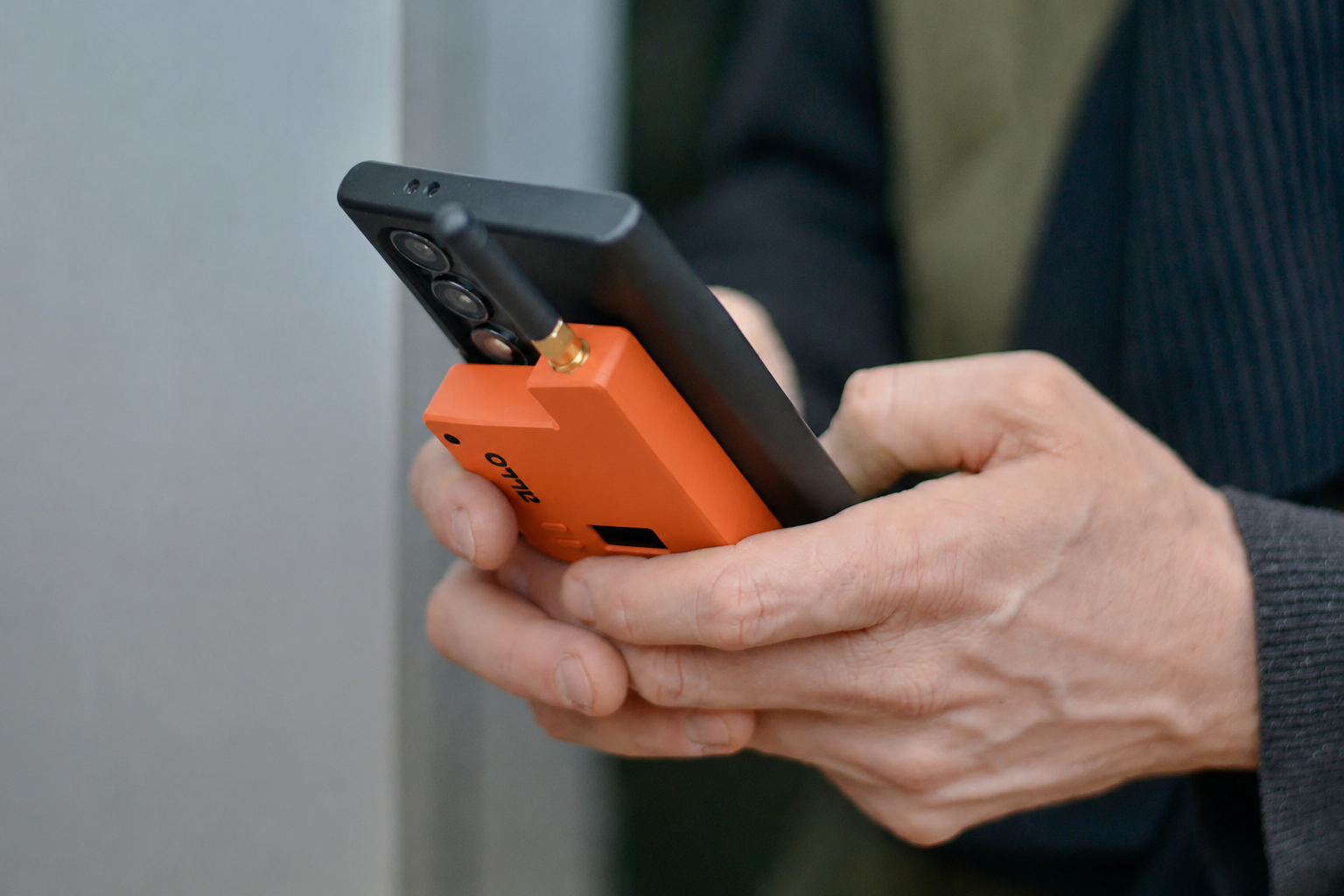
On this page we explain how those parts fit and work together to create a robust fallback layer for you.
Allo at a glance
Allo devices
Small radios you place at strategic locations like emergency aid stations or carry with you on the go. Devices talk to other Allo devices in the Allo mesh and have a battery and charging port so it can run during power outages.
Allo mesh
Allo devices use long‑range radio in licence‑free frequency bands to send messages between each other. Each device can relay messages, so together they form a self‑healing mesh across streets, neighbourhoods or whole towns.
Allo app
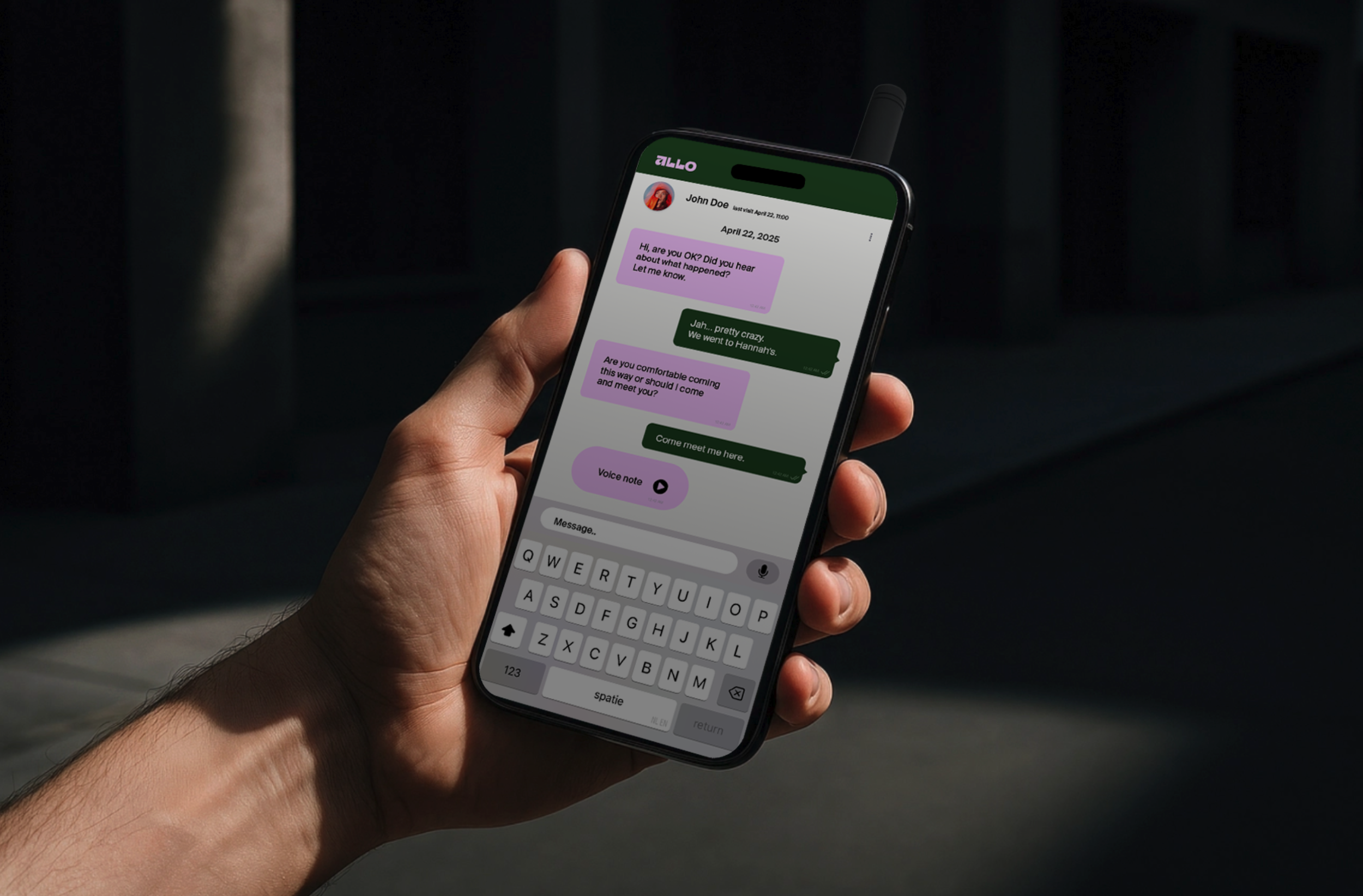
A familiar messenger app that runs on regular Android or iOS phones and tablets. It connects locally to a nearby Allo device via Bluetooth and shows messages in a simple, focused interface.

Allo dashboard
For professional users this online overview is where admins prepare their mesh configuration based on their backup plans: which devices exist, which locations they belong to, what groups and roles there are, how messages are organised, etc.
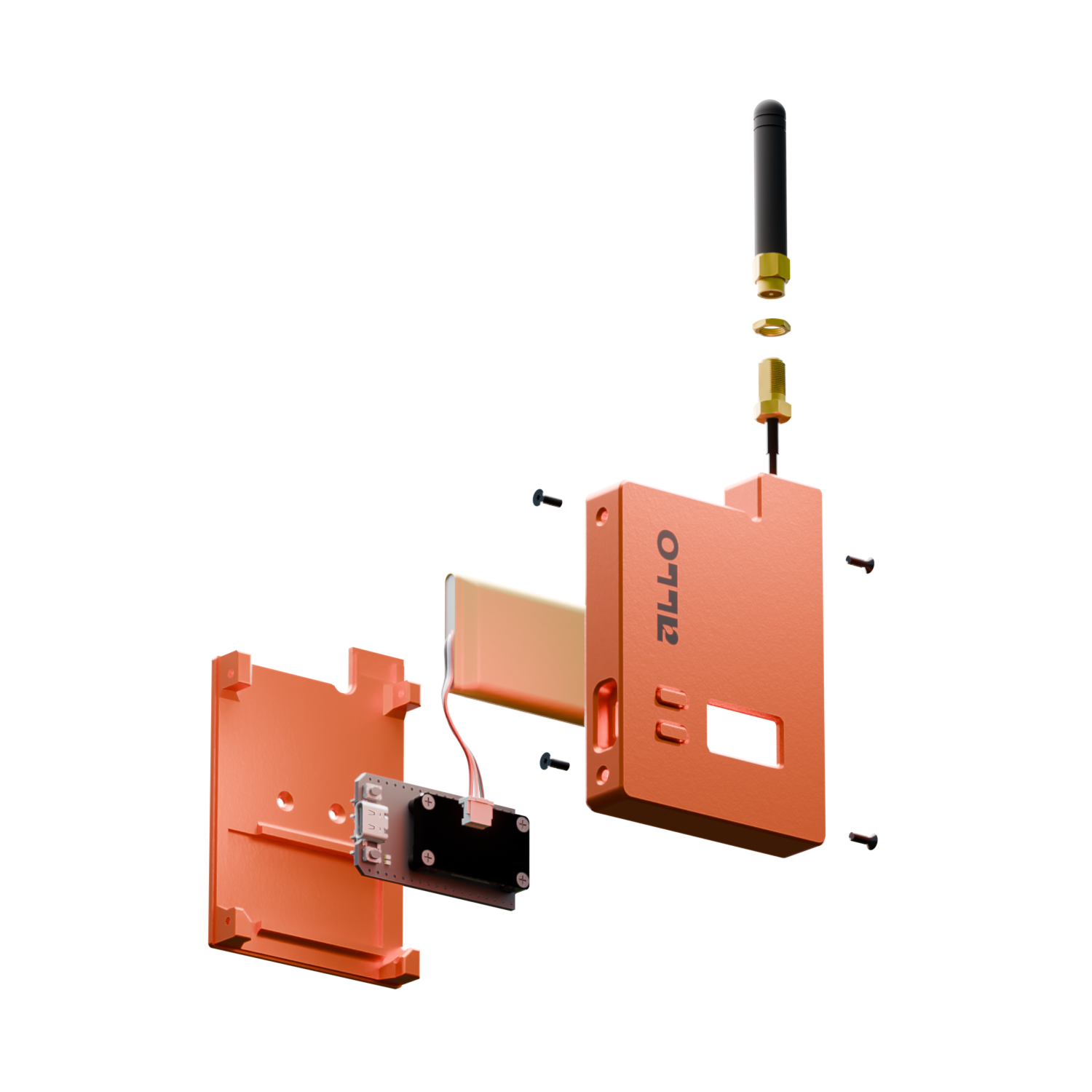
Allo devices
An Allo device is a small physical product that you can carry in pocket, embed in your vehicle, mount on a wall or store in your go-box with other emergency materials.
Typical placement patterns:
In the crisis room / town hall / home, as a central point that many messages pass through.
At emergency aid stations, shelters and coordination points, so local staff can send and receive updates.
At technical or strategic locations, such as depots, control rooms, vehicles or key infrastructure.
Devices can run on internal battery for a long period. Where possible you connect them to mains power so they’re fully charged charged when needed during an incident.
From phone to mesh and back again
When someone sends a message in Allo, a few clear steps happen in the background:
-
The user selects the right contact or group and types a short update, just like you do in any other messaging app.
-
The app adds technical information as such as the group, sender, timestamp, etc. and encrypts the content so only authorised devices can read it.
-
The app sends the encrypted message over Bluetooth to the Allo device it is connected to. This is a short‑range, low‑power link very similar to all other bluetooth applications.
-
The Allo device adds a radio header and sends the message over long‑range radio. Nearby Allo devices receive it. You can expect a range of 2-5km depending on your environment and placement.
-
Devices that are not the final destination simply forward the message. In this way it can hop from device to device across the city. Duplicates are recognised and ignored so the network does not flood itself.
-
When a device sees that a message is relevant for its connected phones or tablets, it passes the message over Bluetooth to that app. The user sees it appear in their conversation.
The core idea: your own network on top of the city
Allo creates a mesh of small devices across your municipality. Each device can send and receive messages over long‑range radio. Devices automatically pass messages along, so your network can cover entire neighbourhoods or whole towns.
Unlike mobile networks, there is no central mast that can fail.
If one device goes down, messages simply take another route.
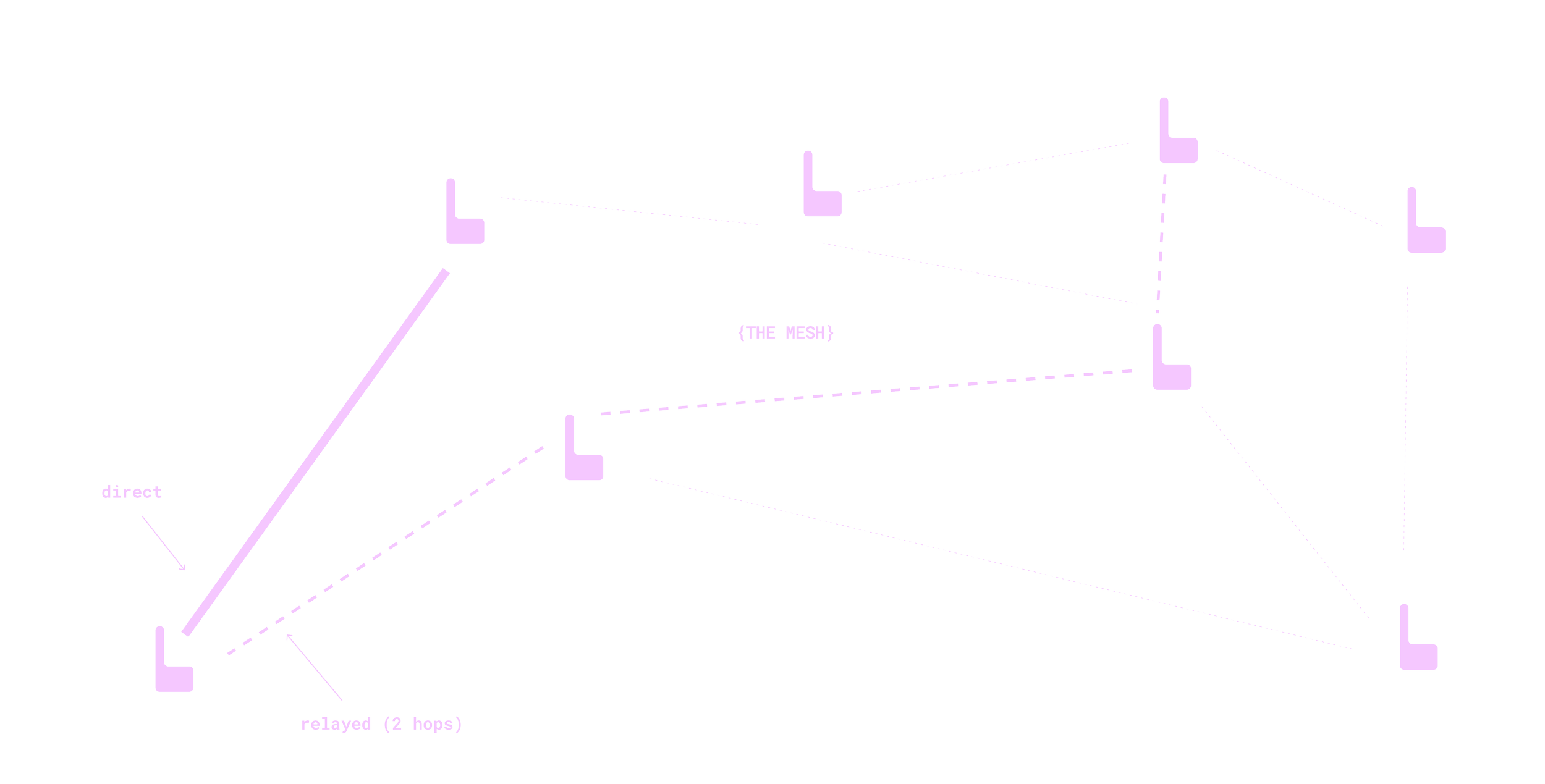
Messages are delivered direct or relayed via one or more hops.The benefits of a mesh networkAllo is designed as a low‑bandwidth but resilient network you can rely on when you need it most.
Device range
In open areas a device can reach other devices at distances of several kilometres. In dense urban areas the range is usually shorter and depends on buildings and placement.

Message relays
Messages don’t have to go directly from A to B. If two devices cannot hear each other directly, other devices in between can relay the message in several hops.
Self healing nework
There is no central mast or single point of failure. If one device goes offline, messages simply try to find an alternative path through other devices in range.
Designed for critical messages
The radio technology is optimised for reliable delivery of short text and status messages, not for high‑bandwidth traffic like photos or video. This is what keeps the network robust during difficult conditions.
Design your mesh in Allo dashboard
The Allo dashboard is mainly used before and after incidents, not during field work:
-
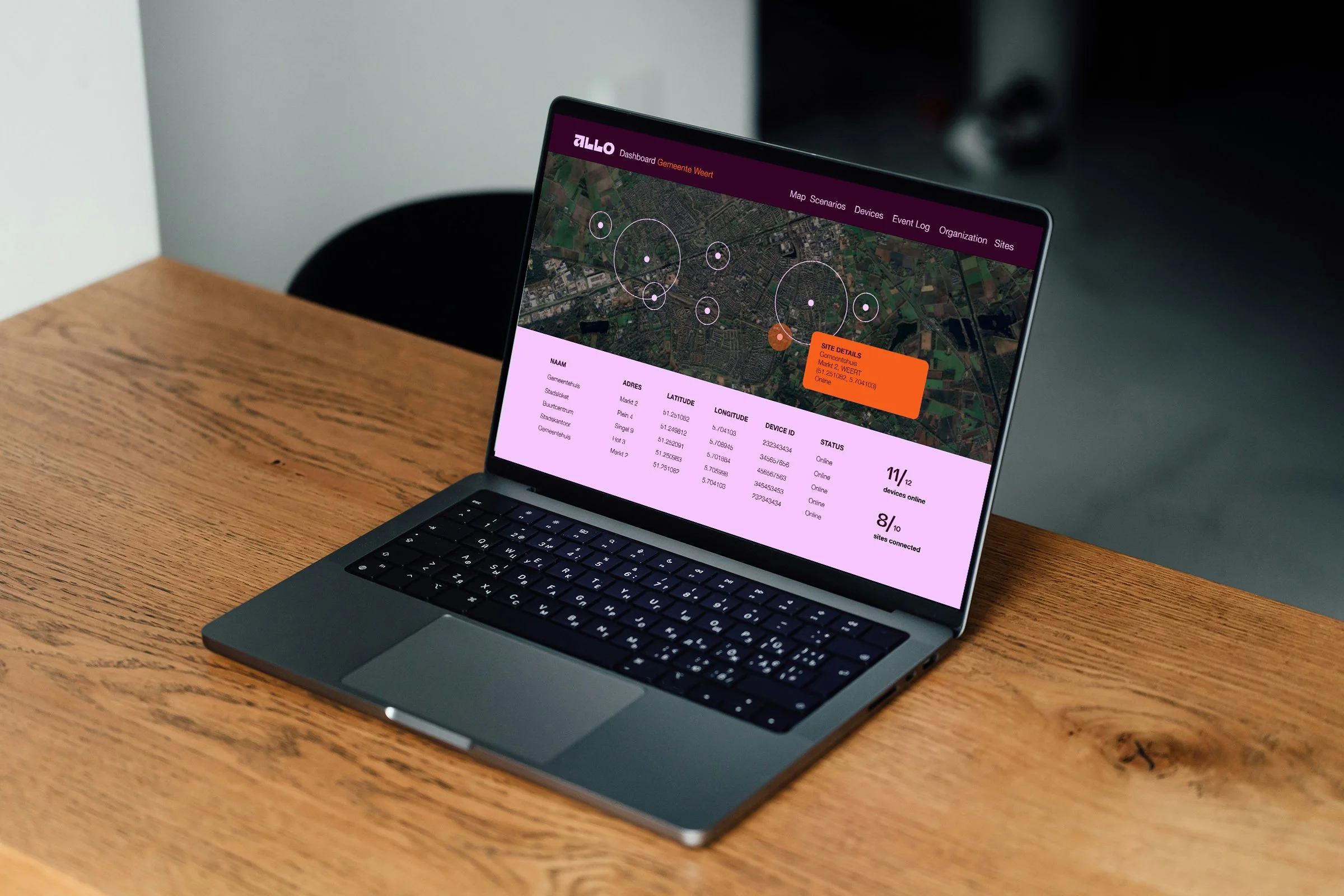
The dashboard has a map view. In it you can define sites relevant to your backup plan. Give them clear names that persist across all reporting.
-
You define groups that reflect your crisis structure.
-
Devices can be assigned to your sites or relevant people so messages automatically end up in the right places.
-
Based on your device placement the Allo dashboard shows you mesh strength in various metrics. This way you can see which areas need a relay devices to extend reach.
-
Devices that are not the final destination simply forward the message. In this way it can hop from device to device across the city. Duplicates are recognised and ignored so the network does not flood itself.
When devices have internet access, they synchronise this configuration from the dashboard. If the internet fails later, they keep working with the last configuration they received.
This means your fallback communication is not dependent on a live connection to the dashboard.What kind of technology is Allo, really?
You don’t have to know every detail, but it can help to understand a few key properties:
-
Allo uses low‑power, long‑range radio technology similar to what is used for sensor networks. This makes it possible to cover large areas with relatively few devices.
-
Phones and tablets do not talk directly to other locations. They only talk to the nearby Allo device via Bluetooth. The device takes care of the long‑range communication.
-
Allo is intentionally limited to short messages and status updates. This keeps the radio channel free and predictable, even when many locations are active.
-
The system is designed to continue working without mobile data or Wi‑Fi. Internet is useful for configuration and monitoring, but not required for the core messaging to work.
-
In more advanced setups, some Allo devices can act as a bridge between the mesh and the internet. This allows you to feed data into the dashboard or connect separate meshes, while field communication still works if those gateways fail.
How Allo handles security and privacy
From a technical perspective, Allo is built with a few clear principles:
End‑to‑end encryption of messages between authorised participants.
Closed groups that mirror your crisis structure, so messages do not end up in random WhatsApp groups or private chats.
No need for personal phone numbers or social accounts inside the Allo environment.
The details (encryption methods, key management, logging) are documented separately for security officers and CISOs.
Want a technical walk‑through for your organisation?
Want a technical walk‑through for your organisation?

If you’d like a more detailed technical explanation for your IT, security or crisis team, we can walk through a concrete setup example.